
Arches for Science
QUICK LINKS
An Arches-based application for the management and sharing of heritage science data.
Arches for Science (AfS) is a comprehensive system, purpose-built to help heritage scientists and other heritage professionals and organizations secure, retrieve, visualize, compare, and share heritage science data, and manage tasks in the lab. AfS currently focuses on the technical examination of art, which includes tools for annotations, material sampling, retrieval and visualization of instrument data, and image and data comparison. It is anticipated that this will provide a foundation for the application of AfS for a range of other purposes.
Why Arches for Science?
Heritage science labs often lack the resources for expensive proprietary data management software systems. In many labs, research data is kept in a variety of individual systems that share no standards across researchers, making this valuable data difficult to access or, in some cases, lost entirely.
AfS provides a freely available, open source alternative for the management of scientific data. The Arches platform itself provides standards-based data management capabilities and robust, flexible data models, making it suitable for a multitude of use cases. AfS takes advantage of these capabilities and enhances Arches with unique features to better serve heritage scientists, including custom data entry workflows and data visualization tools.
Why Arches?
The Arches Platform was designed to manage the complex data associated with cultural heritage. As an Arches application, AfS incorporates the benefits and robust features of the Arches Platform, including interoperability, flexible data models, and search functionalities that facilitate the discovery and sharing of data.
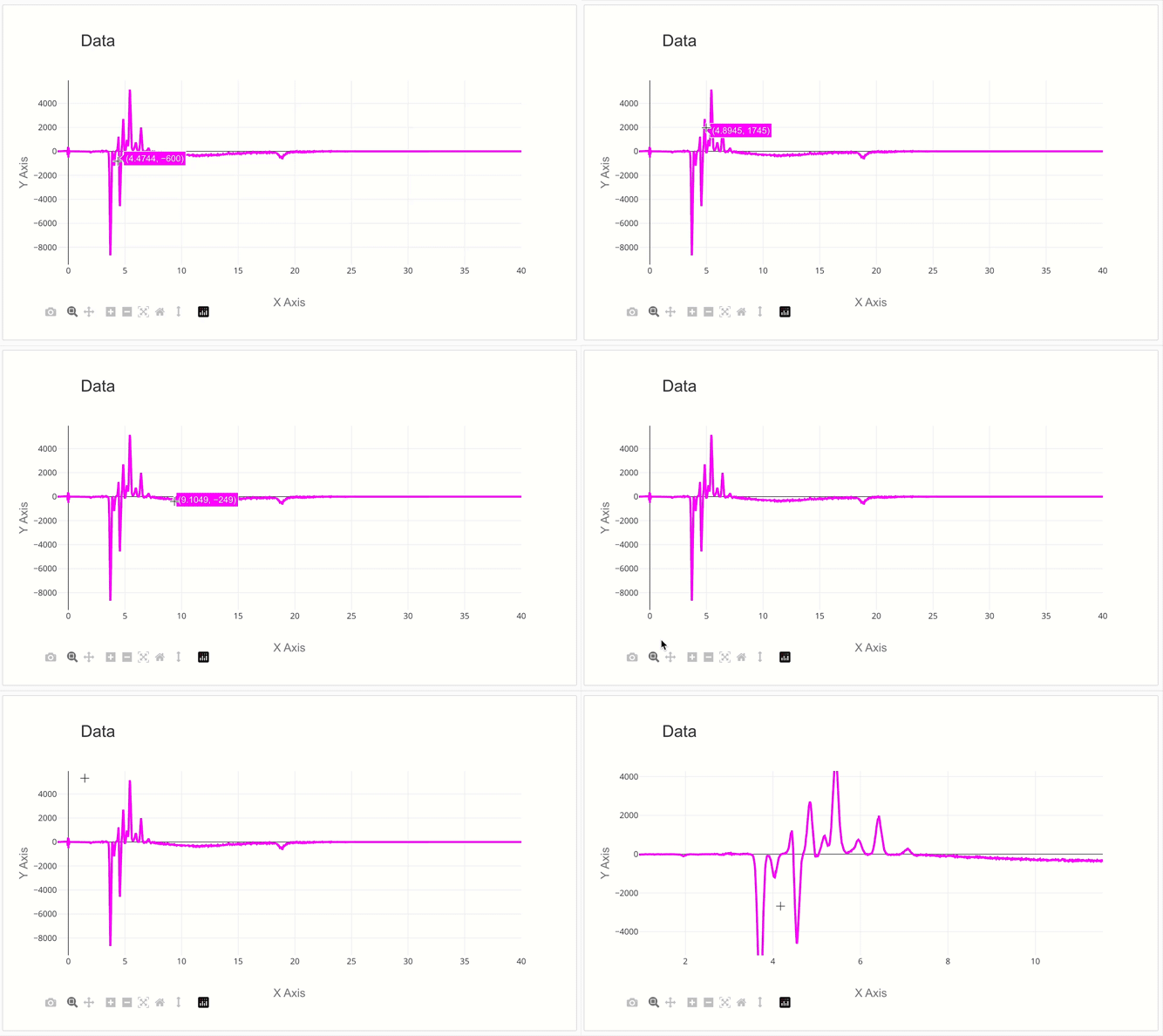
2D Graph Visualization
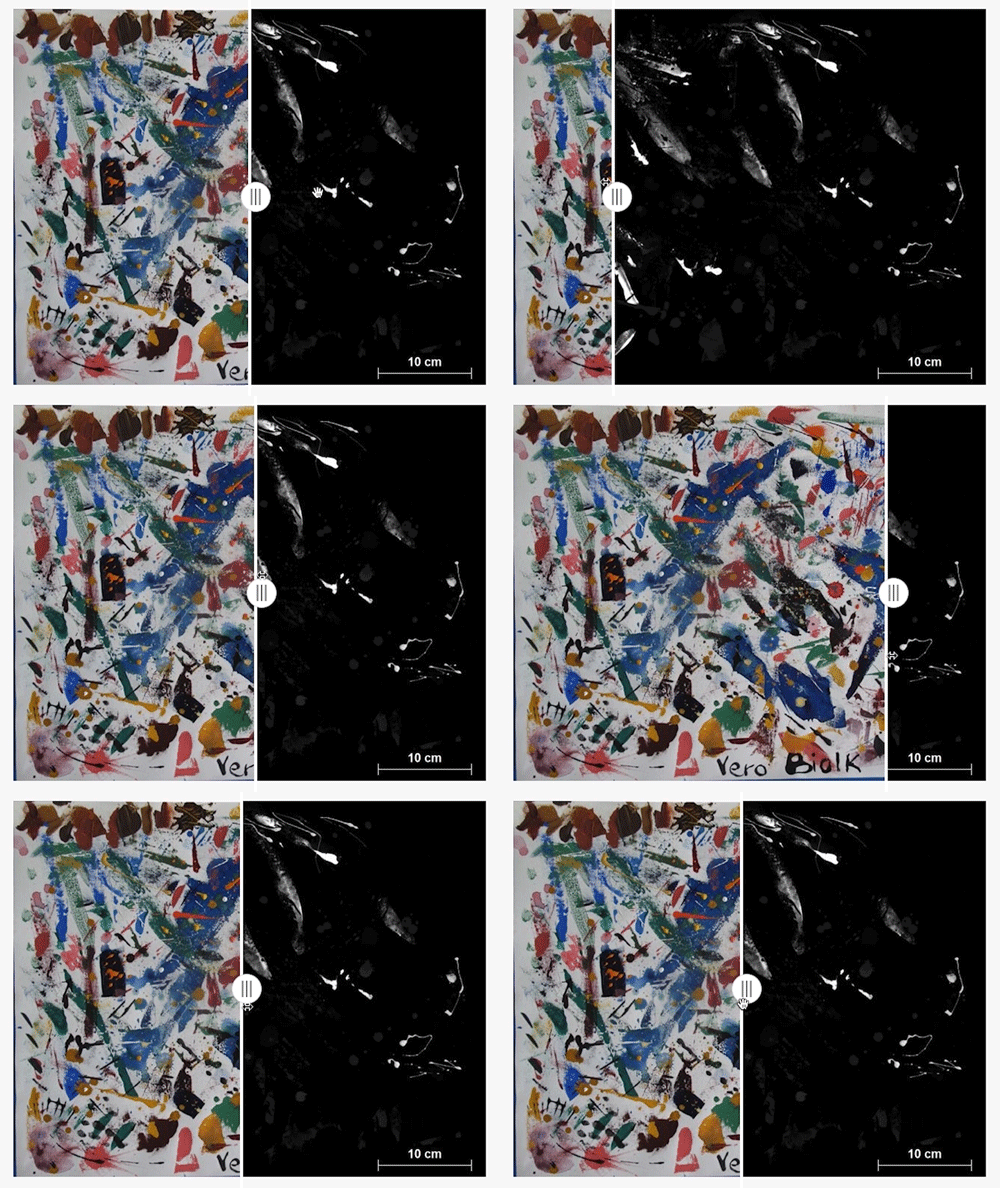
Image Comparison Tool
What does Arches for Science do?
Built specifically for heritage science information and data, AfS includes the following features:
- Resource Models – AfS includes resource, or data, models that aim to represent the breadth of heritage science data. Based on the Linked Art curation of the CIDOC Conceptual Reference Model (CRM), the following resource models are included: Physical Thing, Project, Collection or Set, Digital Resources, Person, Group, Instrument, Observation, Modification, Sampling Activity, Textual Work and Place.
- Workflows – In order to streamline data entry, AfS features several data entry workflows that curate the data entry fields based on common tasks.
- Annotation of images – In AfS, users can annotate images of objects to show areas of analysis and areas that have been sampled.
- Graphical visualization of 2D instrument data – In AfS, users can visualize and compare 2D data in an interactive graph (known as a chart in Arches to distinguish from the related resources graph).
- Image Comparison Tool – Within the IIIF Image Service Manager, users can compare images (such as elemental maps) using a slider function.
- Report Generation – AfS can generate reports based on document templates that include the information and data selected.
Interactive Demo Site
The video below demonstrates much of the above functionality available Arches for Science.
Visit and explore the AfS Demo Site for information on how to access and explore to an open instance of AfS, as well as for in-depth tutorials for many of the features explored in the video.
Additional demo videos based on Arches for Science Version 1 are also available on the AfS video playlist.
Roadmap
The current release of Arches for Science is now available on Github. The latest version of Arches for Science is v2.0 and it requires installation of Arches Version 7.6 LTS to load. Explore the Arches roadmap for information on future releases of AfS and other Arches applications.
Version Release Date Key Features Release Notes
2.0.0 27-Mar-26 See full release notes for v2.0.0
1.0.0 1-Dec-23
Future Features TBD Currently Unfunded
Arches for Reference and Sample Collections (RaSColls)
As a complement to Arches for Science, Arches for Reference and Sample Collections (RaSColls) is currently in development. This new Arches application will enable institutions to better manage their scientific reference and sample collection data and will include the ability to fully describe multiple aspects of collection items such as materiality and acquisition-related information.
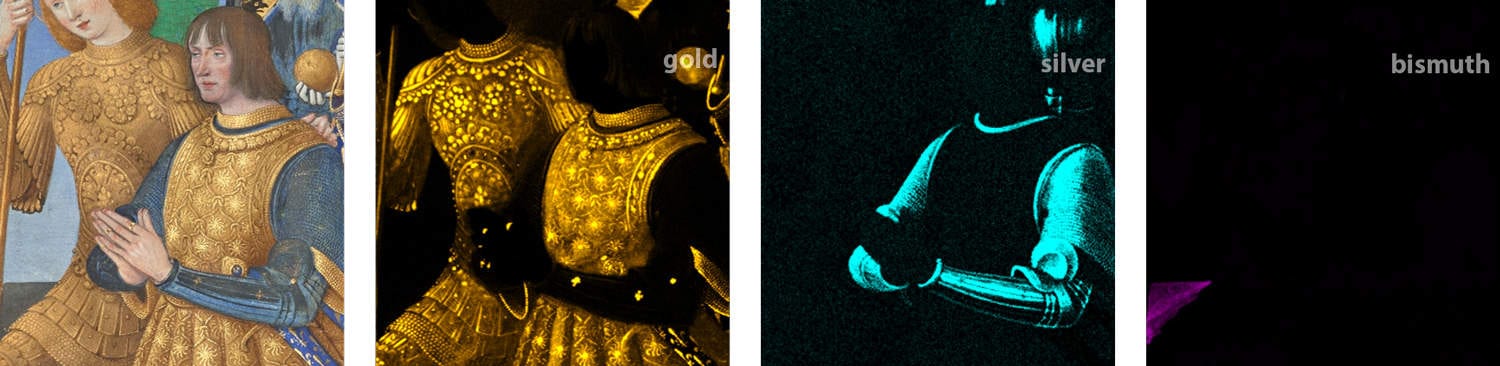
Header Image: Karen Trentelman, GCI. Visible image and elemental distribution maps (gold, silver, and bismuth) of a detail from Leaf from the Hours of Louis XII. Jean Bourdichon, 1498/1499, JPGM, Ms. 79a (2004.1).