
Arches Lingo
QUICK LINKS
Arches Lingo version 1.1 is now available. Visit the Lingo repository on GitHub for release notes.
An Arches application for creating, managing, and sharing controlled vocabularies.
Arches Lingo supports the full lifecycle of authorship, management, and dissemination of thesaurus and vocabulary data. The application was designed for the collaborative development of controlled vocabularies and to facilitate the dissemination of reference data by creating a central hub for a community of users.
Developed by the Getty Conservation Institute with input from knowledge organization specialists at Historic England and other organizations, Arches Lingo supports a “manage once, use many times” model for building and sharing vocabularies. When positioned as a canonical source for authority data, it can be shared widely as a trusted resource and integrate with other systems that leverage terminology data.
View a demonstration of Lingo showing a walkthrough of the core features from the perspective of a vocabulary editor. Visit the interactive Lingo demo site to explore these features.
Why does Lingo matter?
Cultural heritage organizations are documenting objects, sites, and places of significance, but the data often exists in isolation. Individual systems are not always using the same words, and when they are, those words do not always have the same exact meaning or regional context. Arches Lingo was built to address this problem.
Lingo provides a dedicated, collaborative tool that supports data consistency, accuracy, and context. As an Arches application, Lingo embraces the same FAIR (Findable, Accessible, Interoperable, Reusable) and CARE (Collective Benefit, Authority to Control, Responsibility, Ethics) data management principles, advancing interoperability, open data, and data sovereignty.
What does Lingo do?
Developed with the needs of the terminology specialist in mind, Arches Lingo was designed to accommodate the existing workflows of these users. It provides new, robust tools to accomplish many tasks more effectively than previously achievable in Arches alone.
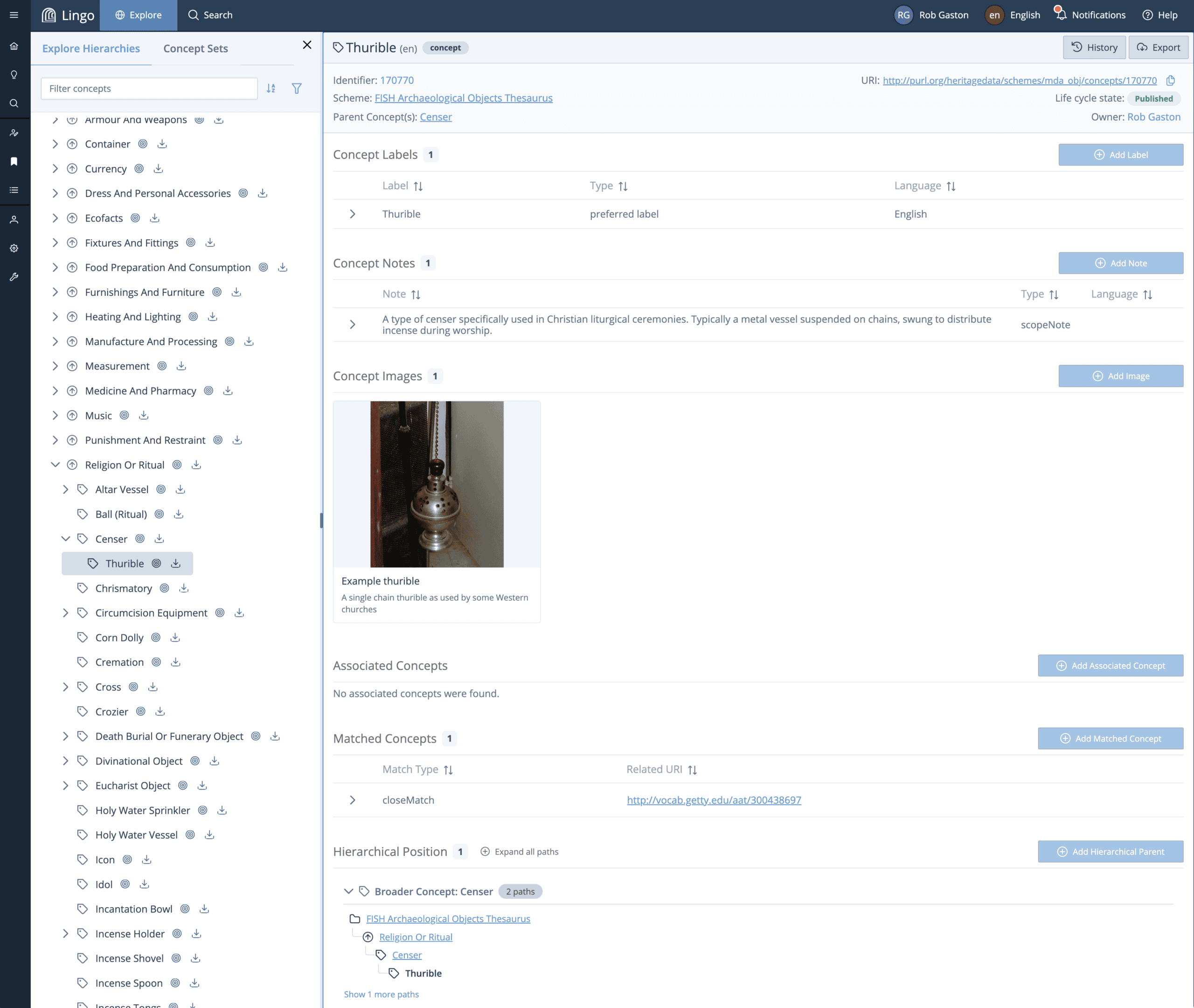
- Schemes and Concepts Creator and Editor. UI to create schemes and concepts based on the requirements of terminology specialists, including terminology hierarchies.
- Robust Context, Including Images. Concept fields support the upload of images for additional context and to enhance educational value.
- Hierarchical Browse. Clearly visualized hierarchies of the full scheme structure provide additional navigational tools including expand/collapse, filter capabilities, and the ability to jump directly to any concept.
- Bulk Concept Import/Export. Concepts can be imported and exported in multiple formats, including CSV, SKOS, and JSON-LD.
- Full Text and Concept search support.
- Advanced Search with faceted filtering capabilities.
- Saved Search and saved search results, for managing lists of terms.
- URI Minting. URIs ensure the unambiguous identification of a concept or scheme, and support matching with concepts that are managed in external systems.
- Lifecycle States. By default, new instances of a scheme or concept will be in a “draft” state and advance to a “published” state as it goes through the instance lifecycle.
- Dashboard and User Profiles are among the features that enhance usability.
- Localization. A language selector makes it possible to use the interface in multiple languages and to manage multilingual vocabulary data.
Lingo users are able to either use the application as an internal tool for designing and building authority data or use an existing Lingo system to export the vocabularies they require. Though powered by Arches and easily integrated with other Arches-based systems, Lingo’s support for multiple export formats, including csv, SKOS, JSON-LD, allow integration with non-Arches platforms.
Arches and Lingo
Because Arches was designed to handle the complexity of cultural heritage data, it provides a robust foundation for an application that handles the complexity of hierarchical cultural heritage vocabulary management.
Prior to the development of Lingo, the first steps in deploying an Arches application demanded a certain amount of expertise in knowledge organization by requiring the creation and design of thesauri and the subsequent mapping of concepts to editing forms. Arches Lingo decouples the work of creating and managing controlled vocabularies from that of using them, handling the heavier responsibility of building and maintaining authoritative, standards-compliant thesauri that can be shared across institutions and integrated into a broader cultural data ecosystem.
Arches Controlled Lists
Arches Controlled Lists is an extension for Arches that handles the lightweight vocabularies that live inside your Arches project. Available in Arches as of version 8, Arches Controlled Lists provides useful vocabulary management capabilities to users who don’t necessarily require the wholesale vocabulary building offered by Lingo. More robust than the legacy Reference Data Manager, it provides a set of tools for managing controlled lists within the Arches framework for use as dropdowns in forms and other UI components.
Arches Controlled Lists is a key component in enabling the use of Arches Lingo data across projects. It allows vocabularies to be loaded from Arches Lingo data or any other data authority capable of providing SKOS RDF formatted data.
Interactive Demo Site
The video below demonstrates much of the above functionality available Arches for Science.
Visit and explore the Arches Lingo Demo Site for information on how to access and explore to an open instance of Lingo, as well as for in-depth tutorials for many of the features explored in the videos.
Additional demos and informational videos about Arches Lingo are also available on the Lingo video playlist.
Roadmap
| Version | Release Date | Key Features | Release Notes |
|---|---|---|---|
| 1.2 | 30-Nov-26 |
| |
| 1.1.1 | 31-Jul-26 |
| See full release notes for v1.1.0 |
| 1.0.0 | 27-Mar-26 |
| See full release notes for v1.0.0 |
| 1.0.0 beta | 1-Sep-25 |
| |
| 1.0.0 alpha | 1-Jun-25 |
| |
| Future Features | TBD Currently Unfunded |
|
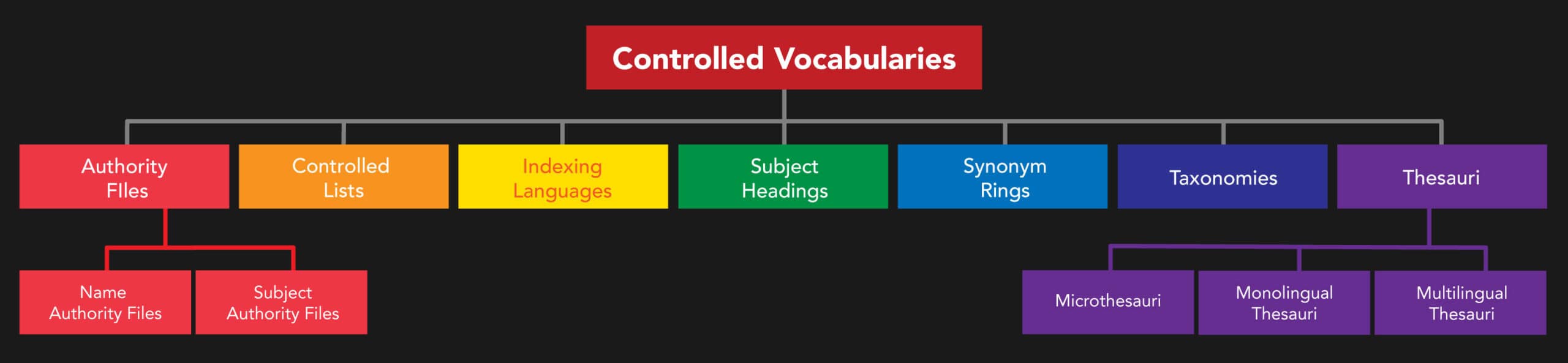
Header Image: Getty Conservation Institute. Representation of “controlled vocabularies” hierarchy from the Getty Art and Architecture Thesaurus.